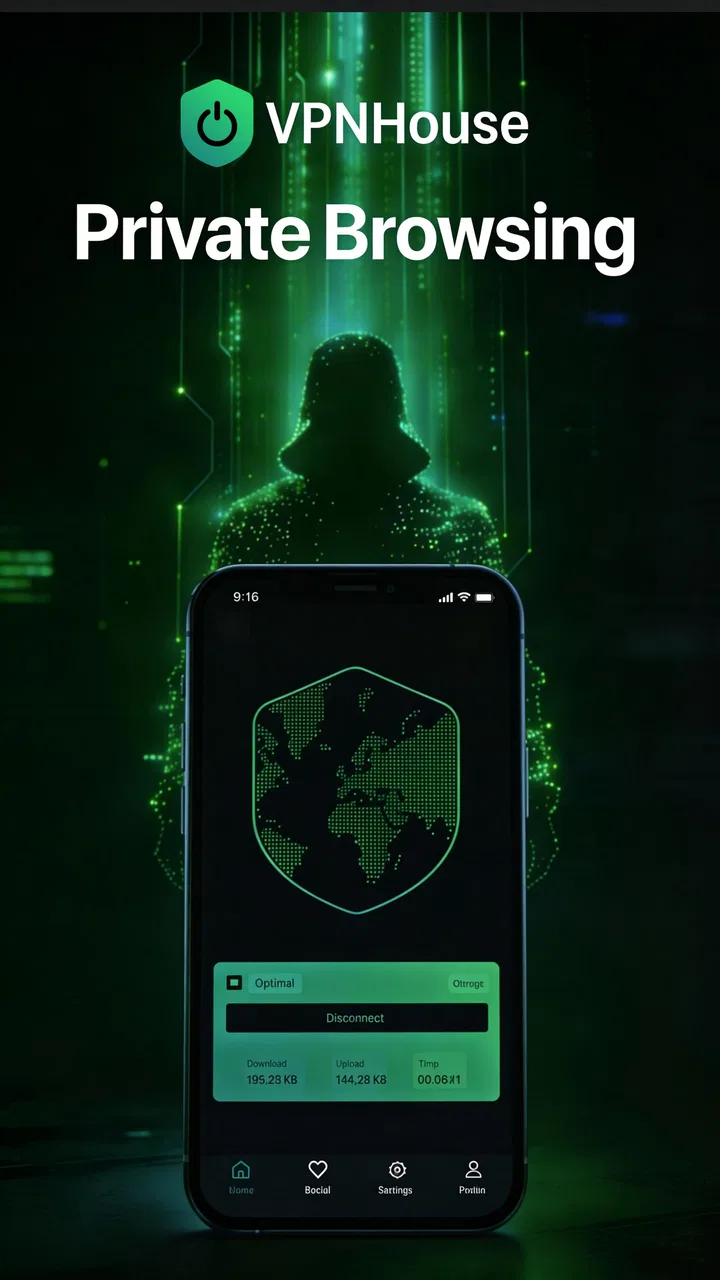
VPNHouse Fast & Secure VPN app
- 3.7
- Rating
- 1.00M
- Installs
- Free
- Price
 Analysis by App-foxy
VPNHouse Fast & Secure VPN is the kind of Android tools app I would try when I need a quick change of network location without turning the task into a technical project. It is free to install, made by VPNHouse, and aimed at private internet access, faster connection handling, and reaching sites that may be unavailable in a particular region. After spending time with it, my view is fairly simple: it can be useful for short, everyday sessions, but it should not be treated as a magic fix for every connection problem.
The app has a 3.7 average from around 9,500 ratings and has passed one million installs, so it is clearly not an obscure experiment. It is listed for Everyone and runs on Android six and later. The current release is version 2.9.5, which matters because VPN apps often depend on Android’s network behavior and can become awkward when the operating system is old or heavily customized.
Where the first connection can become confusing
The first point where I expect some users to hesitate is the moment the app asks Android to approve a VPN connection. That system confirmation is normal: it does not mean the app has failed, and tapping away from it leaves the connection inactive. I found it helpful to read the Android prompt carefully rather than repeatedly pressing the in-app connect button. A VPN cannot begin its work until the operating system accepts that local VPN request.
You May Also Like

 Blood Strike: 2.5 Anniversary
Blood Strike’s Loadouts Turn Every Drop Into a Tactical Gamble
A close look at Blood Strike’s custom loadouts: how fast access to signature weapons reshapes its battle royale rhythm, rewards preparation, and narrows the gap between fights.

 Pandora - Music & Podcasts
Pandora’s Music Is Easy to Start, but Harder to Recover
Pandora’s strength is its low-effort path from a seed to a station. Its weak spot is how much confidence it asks you to place in connection, setup, and quiet recovery.

 8 Ball Pool
 Is Built on Rivalries, Rematches, and Routine
A close look at the rivalries, rematches, shared routines, and unanswered safety questions that turn a quick pool match into a persistent mobile community.

 Samsung Music
’s Quiet Strength Is Playing What You Already Own
Its reach comes less from spectacle than from dependable access to a personal library. That simplicity is both the app’s strongest retention engine and its ceiling.

 AccuWeather: Weather Radar
AccuWeather Review: A Quick, Clear Forecast for Everyday Decisions
For everyday plans, the best forecast is the one you can understand quickly. AccuWeather makes rain timing, radar, and local conditions easy to act on, with a few trade-offs.

 Hill Climb Racing
Why Hill Climb Racing Still Turns Crashes Into One More Run
A tiny car, a bumpy hill and one more upgrade: Hill Climb Racing keeps resurfacing because its simple chaos makes every near-miss feel personal.
More From Our News Desk



Another common stumbling block is assuming that a successful connection will automatically solve every website or application issue. It will not. A VPN changes how traffic is routed, but a site can still be unavailable because of its own restrictions, an account rule, a broken server, or a browser problem. I get better results when I test one ordinary webpage after connecting instead of immediately opening the service that caused the original frustration.
The wording around speed can also create unrealistic expectations. The app is presented as fast and unlimited, but the experience still depends on the selected route, the distance to the service, congestion, the phone’s signal, and the destination itself. In my use, the sensible goal is a usable connection rather than assuming that every VPN route will outperform the mobile network or home broadband connection.
There is also a practical difference between being connected to a VPN and being able to access a particular platform. Some services actively detect shared VPN addresses, while others require a local account, payment method, or supported region. If a streaming page, game service, or shopping site refuses to load after the VPN connects, I do not interpret that alone as proof that VPNHouse is broken.
What I check before blaming the app
My first check is the basic connection without the VPN. I open a familiar website or use another ordinary online service, then close it before starting VPNHouse. If the connection is already unstable, the VPN is adding another layer to an existing problem. This simple test saves time because reconnecting repeatedly cannot repair a weak signal, an overloaded router, or a temporary carrier outage.
I also check whether another VPN is already active. Android generally handles one active VPN path at a time, and a previously installed security, ad-blocking, work, or privacy tool can interfere with the new connection. I disconnect or pause the other service before trying again. If the phone shows a VPN indicator even though VPNHouse looks idle, that is a useful clue that another application may still own the connection.
Battery-saving settings deserve attention as well. Some Android phones restrict background activity aggressively, especially when the screen turns off. If a connection disappears whenever I lock the phone, I look at the device’s battery controls and make sure the app is not being stopped immediately in the background. I do not change every system setting at once; I make one adjustment, reconnect, and test again so I know what helped.
The same careful approach applies to mobile data and Wi-Fi. I test VPNHouse on the network I actually plan to use, because a phone may behave perfectly on home Wi-Fi and poorly on a congested mobile connection. If the app works on one network but not another, that comparison points toward the network, router, carrier, or filtering rules rather than a universal app failure.
A clean setup routine that avoids wasted attempts
My preferred setup is deliberately boring. I close apps that are actively using the network, confirm that the phone has a stable connection, open VPNHouse, and start one connection attempt. When Android displays its VPN permission message, I approve it and wait instead of tapping repeatedly. Multiple rapid attempts make it harder to tell whether the app is still negotiating a connection or whether the phone has rejected an earlier request.
Once the status changes, I test with a normal webpage and then with the specific app or site I care about. This two-step check is more useful than relying only on an icon. A VPN symbol can show that a tunnel is active, while the destination may still block access or fail for an unrelated reason. If the ordinary webpage works but the target service does not, I move my investigation to that service.
I would also avoid judging the app during a single crowded moment. A route can be temporarily slow, and a second attempt later may behave differently. That does not guarantee a better result, but it gives a fairer picture than treating one failed connection as a permanent verdict. If I need a stable route for a long work session, I test it before the meeting or download rather than waiting until the last minute.
Because the app is free to install, it is easy to try without an initial payment. However, the listing includes in-app purchases ranging from $9.99 to $59.99 per item. I would pay close attention to any purchase screen and only continue if the offered terms fit my needs. A free download is not the same as every possible use being free, so I would not hand the phone to a child and assume there is no purchase risk simply because the content rating is Everyone.
Recovering when the connection drops or behaves oddly
When a connection fails, I use a short recovery sequence rather than changing several things together. First, I disconnect inside the app and wait a moment. Then I reconnect once. If that does not help, I switch between Wi-Fi and mobile data, if both are available, and test the ordinary connection without the VPN. This tells me whether the failure follows the app or follows the network.
If the VPN appears connected but pages remain stuck, I close the affected browser or app and reopen it after the connection is established. Some applications keep an earlier network session alive and do not immediately notice that routing has changed. Restarting only the affected application is less disruptive than rebooting the entire phone, and it often clarifies whether the problem is a stale session.
For a connection that dies after the screen locks, I check battery restrictions before reinstalling anything. For a connection that fails only on one Wi-Fi network, I restart the router or test another network before changing phone settings. For a connection that fails everywhere, I restart the phone and try again after the system has fully loaded. These are ordinary steps, but they are safer and more informative than deleting system certificates or installing unknown helper tools.
I would not recommend repeatedly clearing data, resetting network settings, or uninstalling the app as a first response. Those actions can remove saved choices or affect other applications, while offering little information about the original cause. I reserve a clean reinstall for a situation where ordinary reconnection, a phone restart, and network comparison have all failed. Even then, I make sure I remember any account or purchase details that I may need afterward.
One useful habit is to record the exact pattern of the failure in plain language: “connects on Wi-Fi but not mobile data,” “works until the screen locks,” or “ordinary pages load but one service does not.” That description is far more valuable than saying only that the VPN is broken. It also helps me decide whether to keep troubleshooting VPNHouse or move to the network provider or destination service.
Cases where VPNHouse is not the real cause
Some problems sit outside the VPN entirely. If every website is slow before activation, the likely issue is the internet connection or the phone’s signal. If only one website refuses to open while other sites work, the destination may be blocking the route, experiencing downtime, or rejecting the browser session. If a work or school network blocks VPN traffic, the network administrator’s rules may be the deciding factor.
Account security checks can produce similar confusion. A service may notice a new location and ask for another sign-in, verification step, or confirmation. That reaction can happen because the login environment changed, not because VPNHouse damaged the account. I would complete only the service’s normal verification process and avoid entering credentials into unfamiliar pages that appear after a redirect.
Downloads and video playback need separate expectations. A VPN can alter the route, but it cannot create bandwidth that the connection does not have. If a large download is slow, I compare the same download with the VPN disconnected. If the result is better without it, I use the VPN only when the privacy or access reason is more important than maximum speed. For a latency-sensitive game or live call, I would be especially cautious: a private route may be useful for some network situations but harmful to responsiveness in others.
Privacy is another area where I keep my expectations measured. VPNHouse is a tool for routing internet traffic through a VPN connection; I do not treat it as complete anonymity. Browser fingerprinting, logged-in accounts, device identifiers, app tracking, and the behavior of the websites I visit still matter. I would combine it with sensible habits such as using secure account practices, avoiding suspicious downloads, and checking the destination before entering sensitive information.
Who gets the most value from this Android tool
I see the strongest fit for someone who wants a straightforward VPN option for occasional browsing on an Android phone. It may suit a traveler checking familiar services on public Wi-Fi, a user testing whether a site behaves differently through another route, or someone who wants a quick privacy layer during a short session. The free entry point makes experimentation easy, provided the user understands that optional purchases exist.
A realistic example would be sitting in a café while waiting for a train. I connect to the café Wi-Fi, open VPNHouse, approve Android’s request, and test an ordinary page before checking email or a less sensitive account. If the connection becomes unreliable, I switch to mobile data or disconnect rather than assuming that staying connected is always safer or faster. That workflow keeps the app in its proper role: a useful network tool, not a replacement for judgment.
I would skip it if I needed a carefully managed business VPN, guaranteed access to a particular streaming catalog, advanced configuration controls, or a clearly documented long-term privacy plan. In those cases, a paid service with transparent policies, dedicated support, and more detailed controls may be a better choice. I would also look elsewhere if my main priority were the lowest possible latency for competitive gaming or consistently predictable performance for remote work.
Compared with the usual alternatives in the tools category, VPNHouse feels more approachable than a technical client that expects users to understand servers, protocols, and manual profiles. That simplicity is its practical advantage. The trade-off is that users who want fine control, detailed diagnostics, or a highly predictable endpoint may find the experience too limited. I prefer it as a quick utility rather than as the central part of my entire internet setup.
My practical verdict after using it
VPNHouse Fast & Secure VPN is easiest to recommend as a convenient first try, not as a universal answer to online access problems. I like the uncomplicated purpose, the free installation, and the fact that it targets a familiar need without demanding specialist knowledge. Its scale, with over one million installs, also suggests that many Android users are willing to give it a place on their phones.
Still, the 3.7 average rating is a useful reminder to keep expectations realistic. The experience can depend heavily on the phone, network, destination, and Android’s background restrictions. I would install it for occasional private browsing or a quick route test, then judge it by how reliably it works on my own networks. I would not subscribe impulsively, and I would not use it to bypass every service limitation without checking the service’s rules.
The most important practical lesson is to troubleshoot in layers: verify the basic internet connection, approve Android’s VPN request, check for another active VPN, test a normal webpage, and only then investigate the particular site or app that is failing. That process prevents many false conclusions. If VPNHouse fits that modest role, it can be a handy addition to an Android toolkit. If I needed guaranteed performance, advanced controls, or professional support, I would choose a more specialized alternative instead.
FAQs for VPNHouse Fast & Secure VPN app
01What platforms does VPNHouse Fast & Secure VPN support?
VPNHouse Fast & Secure VPN is available for both Android and iOS devices. This makes it accessible to a wide range of users, whether you’re using a smartphone or tablet. The app is optimized for each platform, ensuring a seamless user experience regardless of your device type.
02Is VPNHouse Fast & Secure VPN free to use?
VPNHouse offers both free and premium versions. The free version provides basic features with limited server access, while the premium version unlocks additional servers, faster speeds, and enhanced security features. Users can choose the plan that best fits their needs, with various subscription options available.
03How does VPNHouse ensure my data is secure?
VPNHouse Fast & Secure VPN uses military-grade encryption to protect your data. This includes AES-256 bit encryption, which is considered highly secure. The app also features a no-logs policy, ensuring that your browsing activities remain private and are not stored by the service provider.
04Can I use VPNHouse to access geo-restricted content?
Yes, VPNHouse Fast & Secure VPN allows users to bypass geo-restrictions by connecting to servers in different countries. This means you can access content that might be blocked in your region, such as streaming services, by virtually changing your location to the server’s country.
05What should I do if I encounter connection issues?
If you experience connection problems with VPNHouse, first ensure your internet connection is stable. Try switching to a different server within the app, as server load may affect performance. If issues persist, contact customer support for assistance through the app’s help section, where you’ll find additional troubleshooting tips.
Pros
- High-speed connectivity for seamless browsing.
- Strong encryption ensures data safety.
- User-friendly interface for easy navigation.
- No logs policy enhances privacy protection.
- Wide server selection for global access.
Cons
- Limited free version with ads.
- Occasional connection drops experienced.
- Customer support could be more responsive.
- Not available in all regions worldwide.
- Some advanced features require premium plan.

VPNHouse Fast & Secure VPN app
Gallery